
The four main home internet connection types differ in how the signal physically reaches your home, and that physical difference is what drives the variations in speed, reliability, upload performance and availability. Fiber internet runs optical cable all the way to the property and is currently the most capable of the four. Cable internet uses coaxial cable for the final stretch from a fiber-fed node in the neighborhood. 5G home internet replaces the wired connection entirely with a wireless signal from a nearby cell tower. DSL (digital subscriber line) is the oldest of the group, delivering broadband over the existing copper telephone network, and is gradually being phased out as faster technologies expand.
How does fiber internet work?
Fiber-to-the-home, sometimes shortened to FTTH or FTTP (fiber to the premises), runs a thin strand of glass or plastic from the provider's network all the way into the residence. Data travels as pulses of light along that fiber, which makes the technology extremely fast and largely immune to electrical interference. Because no copper is involved at any point in the path, the connection does not degrade with distance the way copper-based services do.
The practical consequences are significant. Fiber supports the highest speed tiers currently offered to residential customers in the United States, including multi-gigabit plans where the provider's network is built out for them. Upload speeds on fiber are usually much closer to download speeds than on cable or DSL, often matching them on a so-called symmetrical plan. That matters for video calls, cloud backups, live streaming, working from home and uploading large files.
The main trade-off is availability. Building fiber out to every street takes time and capital, so coverage is uneven across the country and varies sharply by city, neighborhood and even by block. Federal programs and private investment continue to expand the footprint, but it is not yet universal.
How does cable internet work?
Cable internet, often described in technical contexts as hybrid fiber-coaxial (HFC), uses fiber from the provider's network to a node in the neighborhood, then a shielded coaxial cable for the final connection into the home. This is the same physical line that traditionally carried cable television, which is why cable broadband is so widely deployed in many suburban and urban areas.
Cable's main strength is broad availability combined with high download speeds. The coaxial portion can carry a lot of data, so cable packages often advertise download tiers that compete with fiber. Performance is generally stable, although the local node is shared among nearby customers, which can lead to slowdowns during peak evening hours in heavily used areas. Cable has historically offered noticeably lower upload speeds than download speeds, though newer DOCSIS standards have started to narrow that gap on certain plans.
If you are weighing up a cable plan, it is worth checking the upload number alongside the download number, especially if multiple people work or learn from home.
How does 5G home internet work?
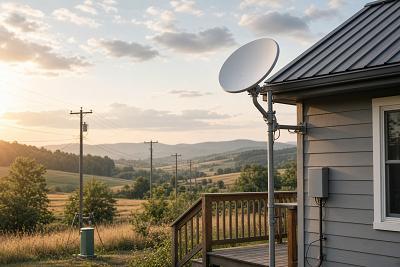
5G home internet swaps the wired connection for a wireless link. A small router with a built-in 5G modem sits inside the home and picks up a signal from a nearby cell tower, much like a cellphone but tuned for indoor use and higher data volumes. Setup is usually fast and self-service: there is no truck roll, no buried line and no in-wall wiring.
Real-world performance depends heavily on signal strength at the specific address, the distance to the closest tower, the building materials around the router and how busy the local cell is. In areas with strong mid-band 5G coverage and a clear path to the tower, download speeds can be competitive with cable. In less well-covered locations, performance can fall closer to 4G LTE levels or may not be a viable option at all.
5G home internet can be a useful choice in places where wired options are limited, in apartment buildings where you want a simpler install, or for renters who value the ability to take the service with them. Latency tends to be higher and more variable than fiber, which can affect competitive online gaming and some real-time applications.
How does DSL work?
DSL is the umbrella term for broadband delivered over the standard copper telephone network. The signal travels from a central office or a remote terminal over twisted-pair copper wiring into the home. Because copper degrades the signal with distance, DSL speeds drop the farther the residence sits from the equipment that serves it.
For everyday tasks like browsing, email and standard-definition streaming, DSL can be adequate, particularly close to the source. For households that stream in high definition on multiple devices, run video calls or share the connection between several heavy users, the limits of copper-based service usually become noticeable. Upload speeds on DSL are typically modest, which can be a constraint for remote workers and content creators.
DSL coverage remains broad in the United States because the underlying phone network is so widespread, including in many rural areas where fiber and cable have not yet reached. As the country shifts toward faster technologies and older copper plant ages, some providers are slowly retiring DSL service in certain regions.
Side-by-side comparison
The table below summarizes the four connection types in general terms. Treat the figures as broad indicators rather than guarantees, because actual performance depends on the specific plan, the provider's network and your address.
| Connection | Typical download | Upload profile | Reliability | Availability |
|---|---|---|---|---|
| Fiber | Up to multi-gigabit on top tiers | Often symmetrical or near-symmetrical | High and consistent | Growing, but uneven by area |
| Cable | High, often competitive with fiber on download | Lower than download, improving on newer plans | Generally strong, shared local node | Broad in urban and suburban areas |
| 5G home internet | Variable, can be high with strong signal | Lower than download, signal-dependent | Depends on coverage and congestion | Wherever solid 5G coverage exists |
| DSL | Low to moderate, drops with distance | Noticeably lower than download | Sensitive to line length and condition | Widespread, including many rural areas |
Which connection type suits which household?
Light users who mainly browse, message and watch standard-definition video can usually get by on a lower-tier connection, including DSL when no faster option is available. Once several people are online at once, streaming in 4K, gaming or working from home with frequent video calls, the limits of copper-based service tend to show. Cable and fiber become more comfortable choices, and full-fiber plans handle the most demanding households best.
If your work depends on consistent upload speeds, such as uploading large files to the cloud, hosting video calls or producing content, fiber is generally the strongest fit because of its symmetrical or near-symmetrical performance. Cable can serve heavy households well on download, but verify the upload figure against what you actually need.
5G home internet sits in a different category. It is most useful where wired options are weak or where flexibility matters, and where the address has solid 5G coverage. It can also work well as a backup connection alongside a primary wired service. In areas already served by strong fiber, a wired plan is usually more consistent and predictable.
How can you find out what's available at your address?
Availability in the United States varies widely by ZIP code, by street and sometimes by individual unit in an apartment building. The most reliable approach is to check each provider's availability tool using your full address, since ZIP-code-level information can hide differences within a neighborhood. The FCC's National Broadband Map is also useful for seeing which providers and technologies are reported as serving a specific location, although you should still confirm details directly with the provider before signing up. For 5G home internet, the carrier's coverage map will indicate signal strength at the address, and providers typically run a qualification check before they will activate service.
Frequently asked questions
Is fiber always faster than cable?
Top-tier fiber plans often match or exceed cable on download, and fiber generally has a clear edge on upload because of its symmetrical design. In day-to-day use, the gap between a fast cable connection and a fast fiber line may not be obvious for browsing or streaming. The difference shows up most for upload-heavy tasks, latency-sensitive gaming and households with many simultaneous users.
Will 5G home internet replace wired connections?
5G home internet is a credible alternative in many areas, but it is not on track to replace wired service across the board. It complements wired networks by adding an option in places with limited choices, for renters who want a simpler setup, or as a backup for primary connections. In locations with strong fiber, a wired plan tends to be more consistent and predictable.
What's the difference between DSL and fiber?
DSL sends data over copper telephone lines, which limits speed and causes performance to drop with distance from the provider's equipment. Fiber uses optical strands and is not affected by distance in the same way, so it supports much higher speeds and more consistent performance. Fiber also generally offers far better upload speeds than DSL.
Is DSL still worth considering?
DSL is usually a fallback rather than a first choice, but it can still be a reasonable option in areas where fiber, cable and 5G home internet are not available. If you live close to the provider's equipment and your household has modest needs, a DSL plan may be adequate. Where any faster wired or wireless option exists, it is generally worth choosing that instead.
Does the connection type affect Wi-Fi inside the home?
The connection type determines the maximum performance entering the property, but Wi-Fi inside the home depends on the router, its placement and the building's layout. A fast fiber line can still feel slow if the router is outdated or poorly positioned. For larger homes or thick walls, mesh Wi-Fi systems or wired Ethernet to key devices often help.
In summary
Each of the four connection types reaches your home in a different way, and that physical difference is what drives the variations in speed, upload performance, reliability and availability. Fiber offers the most capable and consistent service where it has been built out, cable competes strongly on download in the areas it serves, 5G home internet adds wireless flexibility where coverage is solid, and DSL continues to fill in the gaps although its role is gradually shrinking. Checking what is actually available at your address with each provider is the most reliable way to translate these general differences into a practical choice for your household.