For most households, the real online threat is not a sophisticated attack on your network but an everyday scam aimed at the people using it. Scams typically arrive as messages, emails, calls or fake websites designed to trick you into clicking a malicious link, handing over passwords or codes, or sending money. Protecting your home network is therefore as much about sensible habits as it is about technical settings, combining cautious behavior with a few practical safeguards on your devices and connection.
This guide explains the common ways scams and threats reach a home, the simple habits that block the great majority of them, how to protect the devices on your network, and what to do if something does slip through. None of it requires technical expertise, just awareness and a few good routines.
Threats and scam tactics evolve constantly, so treat this as general guidance and stay alert to new variations rather than relying on recognizing a fixed list.
How do scams and threats reach your home?
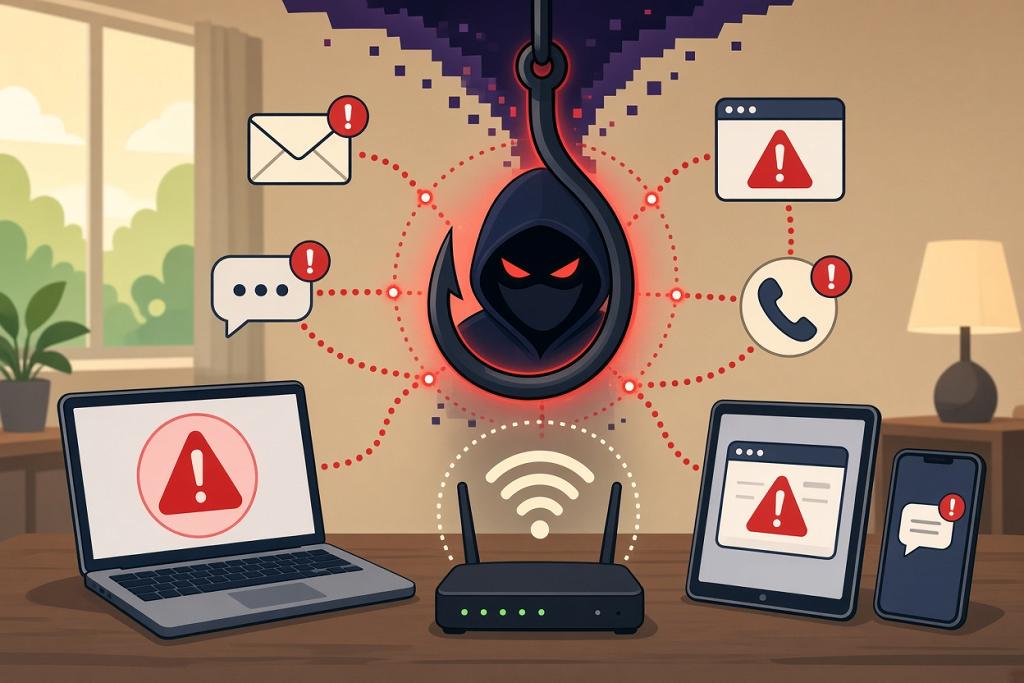
The most common path is a message that creates urgency or temptation. A text or email might claim there is a problem with a bill, a package delivery, an account or a payment, and push you to click a link or act quickly. Fake websites mimic real ones to capture your login details, and phone calls may impersonate a bank, a government agency or a well-known company. Less commonly, malicious software can reach a device through a sketchy download or attachment.
What ties these together is that they target people, not networks. They rely on a moment of inattention or pressure, which is why the most effective defense is recognizing the tactics and slowing down before you act on anything unexpected.
What habits block most scams?
The single most protective habit is healthy skepticism of unexpected contact. Do not click links in messages you were not expecting, and never share passwords, one-time codes or banking details in response to a message or call. If something claims to be from a company or your bank, contact them directly using a number or website you already trust, rather than the details in the message. Genuine organizations do not pressure you to act instantly or to share security codes.
Pausing is powerful. Scams work by creating urgency, so taking a moment to think, or to check with someone you trust, defuses most of them. Treating any message that rushes you or seems too good to be true as suspicious by default will keep you safe far more often than trying to spot a perfect fake.
| Warning sign | Safer response |
|---|---|
| Urgent demand to act now | Slow down; verify independently |
| Request for a password or one-time code | Never share; legitimate bodies won't ask |
| Unexpected link or attachment | Do not click; go to the site directly |
| Offer that seems too good to be true | Treat as suspicious |
The table pairs common warning signs with the safe response, so you have a simple mental checklist when something arrives unexpectedly.
How do you protect the devices on your network?
A few technical safeguards back up good habits. Keep your devices and apps updated, since updates fix security weaknesses that threats exploit, and turn on automatic updates where you can. Use strong, unique passwords stored in a password manager, and turn on two-factor authentication for important accounts so a stolen password alone is not enough to get in. Reputable security software on computers adds another layer against malicious downloads.
Securing the network itself helps too: a strong Wi-Fi password and modern encryption keep your connection private, and a separate network for smart devices limits what a compromised gadget can reach. Together, these measures mean that even if a scam gets partway, the damage is contained.
What should you do if something slips through?
If you think you have clicked a malicious link or shared details, act quickly but calmly. Change the password of any affected account, and any other account using the same password, and turn on two-factor authentication if you had not already. If banking or payment details are involved, contact your bank or card issuer right away using a trusted number, as they can help secure your accounts and watch for fraud.
It is also worth reporting scams to the appropriate authorities, which helps protect others, and seeking advice if you are unsure what was exposed. Acting promptly limits the impact, and there is no shame in being targeted; scams are designed to catch anyone in an unguarded moment.
Frequently asked questions
How do most scams reach people at home?
Usually through messages, emails, calls or fake websites that create urgency and ask you to click a link, share passwords or codes, or send money. They target people rather than networks.
What is the best single habit to stay safe?
Be skeptical of unexpected contact and slow down before acting. Do not click unexpected links or share codes, and verify anything suspicious by contacting the organization directly using trusted details.
Does security software still matter?
It helps as one layer, particularly against malicious downloads on computers. Combine it with updates, strong unique passwords and two-factor authentication for the strongest everyday protection.
What should I do if I've been scammed?
Change affected passwords and turn on two-factor authentication, contact your bank or card issuer immediately if money or payment details are involved, and report the scam. Acting quickly limits the damage.
Bringing it together
Most threats reach homes through scams aimed at people, so protecting your network is mostly about habits: be skeptical of unexpected messages, never share passwords or codes, and verify anything suspicious directly. Back that up with updated devices, strong unique passwords, two-factor authentication and a secure Wi-Fi network. If something slips through, act fast to change passwords and contact your bank. Awareness plus a few safeguards keeps your household safe from the threats that actually occur.