
There is no single number that defines how many devices one internet plan can handle, because the real limit is not the count of connected gadgets but how many are actively using bandwidth at the same time. A home can have dozens of devices online, yet most sit idle most of the time. What strains a connection is several devices doing demanding things at once, such as streaming in 4K, joining video calls, or downloading large files, all drawing from the same shared pool of speed.
In practical terms, a modest plan can support a surprisingly large number of devices if their use is mostly light and rarely overlaps. A home that feels crowded is usually one where many devices place heavy demands simultaneously during peak hours, not simply one with a high device count. Your router and Wi-Fi also play a major role, sometimes more than the plan itself.
This guide explains how devices share a connection, why active use matters far more than the raw number, how your equipment affects the experience, and how to tell whether your plan keeps up as your home fills with devices. Plan tiers and structures change over time and vary by location, so confirm current options and serviceability with the provider for your address.
How do devices share an internet connection?
Your internet plan provides a total amount of speed that every connected device draws from as needed. It is not divided evenly or reserved per device; instead, devices take what they need when they are active and release it when they are not. This shared model is why a single fast streamer and a dozen idle smart devices can coexist comfortably, while three simultaneous 4K streams can stress the same connection.
Most devices use bandwidth in bursts rather than continuously. A phone checking notifications, a thermostat reporting its status, or a laptop loading a page each use a brief, small amount and then go quiet. Streaming and video calls are exceptions because they use a steady flow for as long as they run. The connection feels strained only when the sum of active demands approaches the plan's capacity.
This is the core reason device count alone is a poor measure. Two homes with the same number of devices can have completely different experiences depending on how many of those devices are doing heavy work at the same time.
Why do idle devices barely matter?
Smart home devices have multiplied in many households, and it is easy to assume each one meaningfully reduces your available speed. In reality, most use very little, and much of the time they use almost none. A smart speaker waiting for a command, a camera that only uploads when it detects motion, or a smart plug reporting occasionally consume tiny amounts compared with a single video stream.
That said, large numbers of background devices are not entirely free. They add small, frequent bits of traffic and occupy slots on your Wi-Fi network, which can matter for the router rather than the plan. A home with many cameras that constantly upload footage offsite is a heavier case, because continuous uploads add up, especially on connections with limited upload capacity.
The practical lesson is to focus your attention on the handful of devices that do heavy work, such as televisions streaming in 4K, computers on video calls, and consoles downloading games. Those are the ones that determine whether your plan feels adequate.
How do your router and Wi-Fi affect device capacity?
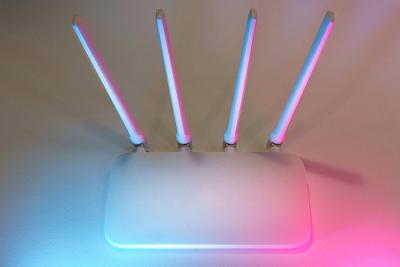
Even a generous internet plan can feel slow if your router cannot keep up with many devices. The router manages all the connections in your home, and older or basic models can struggle when many devices are active, regardless of the speed your plan delivers. Wi-Fi coverage matters too: a device far from the router, or behind thick walls, may get a weak signal that limits its speed even when the connection has plenty to spare.
For homes with many devices, a capable modern router and good Wi-Fi placement often make a bigger difference than moving to a higher speed tier. Features like support for current Wi-Fi standards and the ability to handle many simultaneous connections help a crowded network stay responsive. In larger homes, a mesh system that spreads coverage can reduce the dead spots that make devices appear to slow down.
So when a device-heavy home feels sluggish, it is worth checking the equipment before assuming the plan is the problem. A wired connection for stationary heavy users, like a desktop or game console, can also free up Wi-Fi capacity for everything else.
How can you tell if your plan keeps up?
The clearest sign that a plan is stretched is consistent slowdowns during your busiest hours, especially when several people are streaming, calling, or downloading at once. If performance is fine at quiet times but degrades every evening, your peak simultaneous demand is likely brushing against the plan's capacity. The table below offers a general way to think about matching plans to active use rather than device count.
| Active use pattern | What it looks like | General plan approach |
|---|---|---|
| Mostly light | Many devices, but few heavy at once | A modest tier often suffices |
| Mixed | Several heavy activities overlap at peak | A mid-range tier with headroom |
| Consistently heavy | Many simultaneous streams, calls, and transfers | A higher tier, ideally with strong uploads |
The table reinforces the main idea: plan for your active peak, not your gadget inventory. If you have upgraded your router and improved Wi-Fi yet still see evening slowdowns, that is a stronger signal that your tier no longer matches your household than the simple number of devices ever could.
Frequently asked questions
Is there a maximum number of devices a plan allows?
Plans do not usually cap the number of devices in a meaningful way for home use. The practical limit comes from how much active demand your connection and router can handle at once, not from a fixed device count. Idle devices use very little, so the real constraint is simultaneous heavy use.
Do smart home devices slow down my internet?
Individually, most smart devices use very little bandwidth, so a few have a negligible effect. Large numbers can add minor background traffic and load on your router, and cameras that continuously upload footage are heavier. Focus on the few devices doing demanding work to judge your real needs.
Will a higher speed tier fix a slow, crowded network?
Sometimes, but not always. If slowdowns come from an aging router or weak Wi-Fi coverage, a higher tier may not help. Check your equipment and signal first, then consider a higher tier if your active peak demand genuinely exceeds your current plan.
Should I connect some devices with a wire?
Where practical, yes. A wired connection for stationary heavy users such as a desktop, game console, or smart television gives them a steady connection and frees up Wi-Fi capacity for everything else, which helps a device-filled home stay responsive.
Conclusion
The question of how many devices an internet plan can handle has no fixed answer, because what matters is how many are actively demanding bandwidth at once, not how many are connected. Idle and lightweight devices barely register, while a handful of heavy simultaneous activities define your real demand. Your router and Wi-Fi often influence a crowded home's experience as much as the plan, so check equipment and coverage before assuming you need more speed. Plan for your busiest realistic moment with a little headroom, and because tiers and availability change over time and vary by location, confirm current options and serviceability with the provider for your address.