
It is common, and usually normal, for the internet speeds you actually experience to be slower than the figure your plan advertises. Advertised speeds generally describe a maximum under ideal conditions rather than a guarantee you will see at all times. Many factors between the provider's network and your device can reduce the speed you measure, including your Wi-Fi, your equipment, the number of devices in use, and congestion during busy hours.
The short answer is that the headline speed is a ceiling, not a constant. The real-world figure depends on how the connection is delivered to your home, how it is shared inside your home, and the conditions at the moment you measure. Understanding the causes helps you tell the difference between a normal gap and a problem worth addressing.
This guide explains the common reasons real-world speeds fall short of advertised ones and what you can do to get closer to your plan's potential. Because plans and conditions vary, confirm specifics with your provider if you suspect a persistent issue.
Why is the advertised speed a maximum?
Advertised speeds typically represent the best case the plan can deliver under favorable conditions, often measured on a direct wired connection with little else competing for the bandwidth. Real homes rarely match those conditions exactly, so the speed you measure on a laptop over Wi-Fi during a busy evening will usually be lower.
This is not necessarily a fault. The gap reflects the difference between a controlled measurement and everyday use. A connection can be working correctly and still show real-world speeds below the headline, because the headline describes potential rather than a promise for every moment and every device.
Recognizing this helps set expectations. A modest gap between advertised and measured speed is normal; a large, persistent gap, especially on a wired connection, is more likely to indicate something worth investigating.
What causes the gap between advertised and real speeds?
Several factors contribute, and they often combine. The table below lists the common causes and what they affect.
| Cause | What it affects | Notes |
|---|---|---|
| Wi-Fi instead of wired | Speed at the device | Wi-Fi adds variability and loss |
| Distance and obstacles | Wi-Fi signal strength | Walls and range reduce speed |
| Older equipment | Maximum the router supports | Aging gear can cap speeds |
| Many devices at once | Shared bandwidth | Speed is divided among active uses |
| Peak-hour congestion | Speed during busy times | More users can slow the network |
| Device limitations | Speed a device can reach | Older devices may not hit top speeds |
The table shows that much of the gap happens inside your home rather than on the provider's network. Wi-Fi in particular introduces variability, since the signal weakens with distance and obstacles, and older routers or devices may not support the full speed your plan delivers. Sharing the connection among many active devices also divides the available bandwidth.
How can you get closer to your plan's potential?
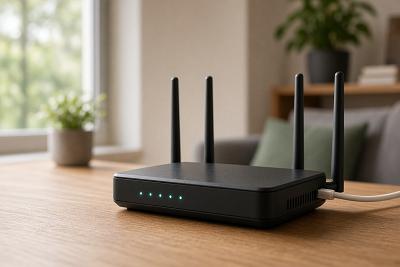
Several steps help narrow the gap. Testing on a device connected directly to the router with a wire removes Wi-Fi variability and shows what the connection itself is delivering. Positioning your router centrally and away from obstructions improves Wi-Fi coverage, and upgrading an older router can lift a cap that aging equipment imposes.
Reducing the number of devices actively using the connection during a test gives a clearer reading, since a busy network divides bandwidth. For stationary heavy users like a desktop or game console, a wired connection provides a steadier, faster link than Wi-Fi. These steps address the in-home factors that most often hold speeds below the headline.
If a large gap persists even on a wired connection with few devices active, that points to something beyond your home setup, and confirming with your provider is the next step. Otherwise, improving your equipment and Wi-Fi usually brings real-world speeds closer to your plan's potential.
When should you be concerned about slow speeds?
A modest difference between advertised and measured speed is normal, but certain patterns suggest a problem. Consistently very low speeds on a wired connection, sudden drops that were not there before, or performance far below your plan across many devices and times of day are worth investigating. These go beyond the usual in-home factors.
Before contacting your provider, it helps to test on a wired connection with few devices active, so you can describe what the connection delivers under clear conditions. This distinguishes an in-home issue, which you can often address, from something on the provider's side, which they would need to look into.
Because conditions and plans vary, confirm specifics with your provider if the gap seems abnormal. A clear, wired test gives you the information to have a productive conversation.
Frequently asked questions
Is it normal for my speed to be lower than advertised?
Yes, a modest gap is normal because advertised speeds describe a maximum under ideal conditions, not a constant guarantee. Wi-Fi, equipment, the number of active devices, and congestion all reduce real-world speeds. A large, persistent gap on a wired connection is more likely to indicate a problem.
Does Wi-Fi slow down my internet?
Wi-Fi can lower the speed you measure compared with a wired connection, because the signal weakens with distance and obstacles and introduces variability. Testing on a wired connection shows what the connection itself delivers, separate from Wi-Fi effects.
Will a new router increase my speed?
It can, if your current router is older and caps the speed below what your plan delivers, or if better Wi-Fi coverage helps your devices. A new router will not exceed your plan's speed, but it can help you get closer to it, especially in a device-filled home.
How do I test my real speed accurately?
Test on a device connected directly to the router with a wire, with few other devices active, to remove Wi-Fi and congestion effects. This shows what the connection itself is delivering and helps distinguish in-home factors from provider-side issues.
Conclusion
Real-world internet speeds are usually slower than advertised because the headline figure is a maximum under ideal conditions, not a guarantee for every device and moment. Much of the gap comes from inside your home, including Wi-Fi, distance and obstacles, older equipment, shared bandwidth, and peak-hour congestion. Testing on a wired connection, improving your router and its placement, and reducing active devices can bring measured speeds closer to your plan's potential. If a large gap persists on a wired connection, confirm with your provider, since that points beyond your home setup.