
Before you sign a lease or commit to a new home, it is worth researching the internet options at that specific address, because availability is decided address by address and can vary even within the same building or street. The reliable way to do this is to confirm serviceability with providers for the exact address you are considering, rather than assuming the area or the building offers a particular service. A little research up front can prevent the frustration of discovering limited or no service after you move in.
The short answer is to treat internet availability as part of your housing decision, especially if you work from home or rely on a fast, stable connection. Check which connection types reach the address, ask the landlord or seller and the providers directly, and weigh the results alongside the other factors in your choice.
This guide walks through how to research options before committing, what to ask, and how to interpret what you find. Because availability and plans change over time, confirm the current details directly before relying on them.
Why check internet options before committing?
Internet availability is not uniform, so a new address can have very different options from your current one, or from a neighbor's. If a reliable connection matters to you, finding out before you sign avoids being locked into a home where the service does not meet your needs. This is especially important for remote work, online study, or households with heavy internet use.
Because availability depends on the networks built to a specific address, you cannot assume a building or neighborhood offers a particular service. A unit in an apartment building may have different options from the building next door, and a rural address may have a narrower set of choices than a nearby town. Checking early turns availability into a known factor rather than a surprise.
The cost of checking is small, and the cost of getting it wrong can be significant, particularly if a lease commits you for a year or more. Building this step into your search is a practical safeguard.
How do you research what reaches an address?
Several steps give an accurate picture. Start by confirming serviceability with providers for the exact address, since their records reflect what is built there. Consult official broadband availability resources for an overview of reported coverage and technologies. If the home is in a multi-dwelling building, ask the landlord or property manager what is wired into the building, since internal wiring can affect options.
The table below summarizes the steps and what each reveals.
| Step | What it tells you |
|---|---|
| Provider serviceability check | Whether a provider serves the exact address |
| Official availability resources | Reported connection types in the area |
| Ask the landlord or property manager | What is wired into the building |
| Ask current or former residents | Real-world experience at the address |
The table shows that combining sources gives the fullest picture. The provider check is the most direct, while the landlord and any current residents can fill in details specific to the building or unit. Verifying with the provider before relying on any single source is the dependable approach.
What should you ask before signing?
A few targeted questions clarify your options. Ask the landlord or seller which connection types are available at the unit or home, and whether any provider equipment or wiring is already in place. Ask providers which plans and speeds they actually offer at the address, not just whether service exists, since a reported connection does not guarantee every plan.
If you work from home, pay attention to upload speed and latency, not just the headline download number, because those affect video calls and remote access. For apartments, confirm whether you can choose your provider or whether the building has specific arrangements. And consider contract terms, since a fixed-term plan interacts with how long you expect to stay.
Asking these questions before signing means you enter the home knowing what to expect. It also gives you time to weigh whether the available options suit your needs before you are committed.
How do you weigh the results?
Once you have gathered the information, weigh it against how you use the internet. If the address offers connection types that comfortably meet your needs, internet is one less concern. If the options are limited, consider whether they are workable for your household, especially for remote work or heavy use, before committing.
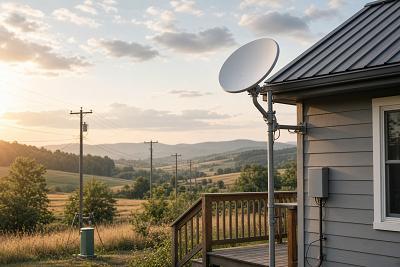
For homes with few wired choices, wireless options like fixed wireless and 5G home internet, or satellite internet in remote areas, may be worth exploring, keeping in mind that their performance varies by location. The point is to know your realistic options before you sign, so you can plan accordingly rather than discovering constraints later.
Because availability and plans change over time, treat your findings as current and confirm directly with providers before relying on them. With the research done, internet becomes a deliberate part of your decision.
Frequently asked questions
Why check internet before signing a lease?
Availability varies by address, so a new home can have very different options from your current one. Checking before you sign avoids being committed to a home where the connection does not meet your needs, which matters most for remote work and heavy internet use.
Can the landlord tell me what is available?
A landlord or property manager can often tell you what is wired into a building, which is helpful for apartments and multi-dwelling homes. For the specific plans and speeds offered, confirm directly with providers for the exact address, since building wiring and provider plans are different questions.
What should I ask providers?
Ask which plans and speeds they actually offer at the exact address, not just whether service exists, and pay attention to upload speed and latency if you work from home. A reported connection does not guarantee every plan, so confirm the specifics for the address.
What if the options are limited?
If wired choices are few, explore wireless options like fixed wireless and 5G home internet, or satellite internet in remote areas, keeping in mind their performance varies by location. Knowing your realistic options before signing lets you decide whether they suit your household.
Conclusion
Researching internet options before you sign a lease turns availability from a post-move surprise into a known factor in your decision. Because service is decided address by address, confirm serviceability with providers for the exact address, consult official availability resources, and ask the landlord and any current residents about the building and real-world experience. Pay attention to upload speed and latency if you work from home, and weigh the results against your needs before committing. Since availability and plans change over time, confirm the current details directly before relying on them.