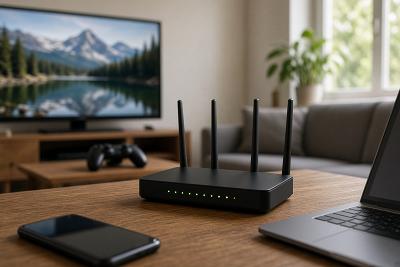
Switching to a new internet provider can lower your bill, improve your service, or get you a plan that better fits your household, and with a little planning it does not have to leave you without a connection. The key is to set up the new service before canceling the old one where possible, so the two overlap briefly rather than leaving a gap. Beyond timing, a smooth switch comes down to checking a few things in advance and handling your equipment and old account cleanly.
This guide explains how switching works, how to avoid being offline, what to confirm before you switch, and how to wrap up your old plan without loose ends. Knowing the steps turns switching from a worry into a simple piece of admin.
Processes differ between providers and connection types, so treat this as general guidance and follow the specific instructions your new and old providers give you.
How does switching providers work?
Switching usually means signing up with the new provider, having any necessary installation or equipment setup completed, and then canceling your old service once the new one is working. Whether installation is needed depends on the connection types involved: moving to a different technology, such as from cable to fiber, may require a technician visit and new equipment, while some switches are quicker. Understanding which applies to you helps you plan the timing.
Because you generally arrange the new service and the cancellation separately in the United States, you have control over the timing, which is what lets you avoid a gap. The goal is to have the new connection live before the old one ends, then cancel the old service cleanly.
How do you avoid being offline?
The most reliable approach is to set up and confirm the new connection is working before you cancel the old one. That way, if the new installation is delayed or hits a snag, you still have your existing service to fall back on. Once the new connection is up and running, cancel the old plan, ideally timing it around your billing cycle to avoid paying for overlap longer than necessary.
If there is any unavoidable gap, such as waiting for an installation, a mobile hotspot can keep you online in the meantime. Coordinating the start of the new service and the end of the old one is the heart of a smooth switch, so plan the dates rather than canceling first and hoping the new service arrives in time.
| Step | Why it matters |
|---|---|
| Set up the new service first | Keeps your old connection as a fallback until the new one works |
| Confirm the new connection is live | Avoids canceling before you have working service |
| Cancel the old plan and return equipment | Stops ongoing charges and avoids unreturned-equipment fees |
| Time it around your billing cycle | Minimizes paying for overlap |
The table lays out the essentials in order. Following them keeps the switch continuous and free of surprises.
What should you check before switching?
First, check whether you are still within a contract on your current plan and whether leaving early involves an early-termination fee, so there are no surprises. Confirm that the new plan suits your household's speed and data needs, and whether installation is required. Consider equipment: some providers supply their own modem or gateway, you may rent or buy one, or your existing equipment may not work with the new service, so confirm what you will need.
It is also worth confirming the new plan's details match what you expect, including the speed tier and whether the price is ongoing or a promotional rate that will later rise. Doing these checks up front means the switch delivers what you intended rather than revealing issues afterward.
How do you handle equipment and your old account?
Equipment is a common snag. If you rented equipment from your old provider, you typically need to return it, often within a set window, to avoid an unreturned-equipment charge, so find out how and where to return it. If you owned your equipment, check whether it is compatible with the new service or whether you need new gear. Set up the new provider's equipment when the service activates.
For the old account, make sure it is properly canceled once the new service is working, confirm there are no outstanding charges, and keep any confirmation of cancellation and equipment return. Checking your final bill helps ensure you are not still being charged after the switch. Tying off these loose ends cleanly means the switch is genuinely complete and you are not paying for a service you no longer use.
Frequently asked questions
Will I lose internet when I switch providers?
Not if you set up the new service before canceling the old one. Keeping the old connection until the new one is confirmed working lets you avoid a gap, and a mobile hotspot can cover any unavoidable wait.
Should I cancel my old provider first?
No. Set up and confirm the new service is working first, then cancel the old plan. Canceling first risks being offline if the new installation is delayed.
Can I keep my own modem or router?
Sometimes. Your equipment may work with the new service, or you may need different gear, depending on the provider and connection type. Confirm compatibility before switching and return any rented equipment.
What should I check on my old account after switching?
Confirm the account is canceled, return any rented equipment within the required window to avoid a fee, and check the final bill for any outstanding or ongoing charges.
Bringing it together
Switching internet providers is smooth when you set up the new service before canceling the old one, so you are never without a fallback, and time the change around your billing cycle. Check your contract and any early-termination fee, confirm the new plan and equipment, and keep a mobile hotspot ready for any gap. Then cancel the old account cleanly, return rented equipment promptly, and confirm the final bill. With these steps, you switch without losing service or picking up surprise costs.