If your home internet is fast near the router but weak in distant rooms, the solution is usually better Wi-Fi coverage rather than a faster plan. Three approaches help: improving where you place your router, adding a Wi-Fi extender to push the signal further, or using a mesh system that blankets the home with multiple units. Each spreads coverage differently, and the right choice depends on your home's size, layout, and where the dead spots are.
The short answer is to start with placement, since it costs nothing, then consider an extender for a single weak area or a mesh system for whole-home coverage. None of these increases your connection's capacity, but they help that capacity reach more of your home, which is what most coverage complaints are really about.
This guide explains how placement, extenders, and mesh systems work, their trade-offs, and how to choose between them. Because equipment varies, confirm compatibility with your setup before buying, and remember these improve coverage rather than your plan's speed.
Why does router placement matter so much?
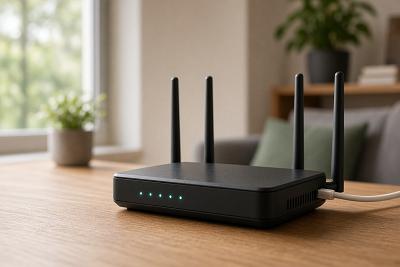
The router broadcasts your Wi-Fi signal, and where it sits has a large effect on coverage. A router placed centrally and out in the open spreads its signal more evenly through the home, while one tucked into a corner, closet, or behind obstructions sends a weaker signal to far rooms. Walls, floors, and other electronics absorb or interfere with the signal, so placement can make or break coverage.
Because placement is free to change, it is the first thing to try. Moving the router to a central, elevated, open spot, away from thick walls and large appliances, often improves coverage noticeably. Sometimes this alone resolves weak spots without any extra equipment, which is why it is worth doing before buying anything.
Even when extra equipment is needed, good placement of the main router improves the foundation that extenders or mesh units build on. So placement matters both on its own and as a starting point for any larger fix.
How do extenders and mesh systems differ?
Wi-Fi extenders and mesh systems both expand coverage, but they work differently. An extender, sometimes called a repeater, takes the existing Wi-Fi signal and rebroadcasts it to reach further, which helps a single weak area. It is a relatively simple, lower-cost addition, though it can sometimes reduce speed on the extended signal and may create a separate network name.
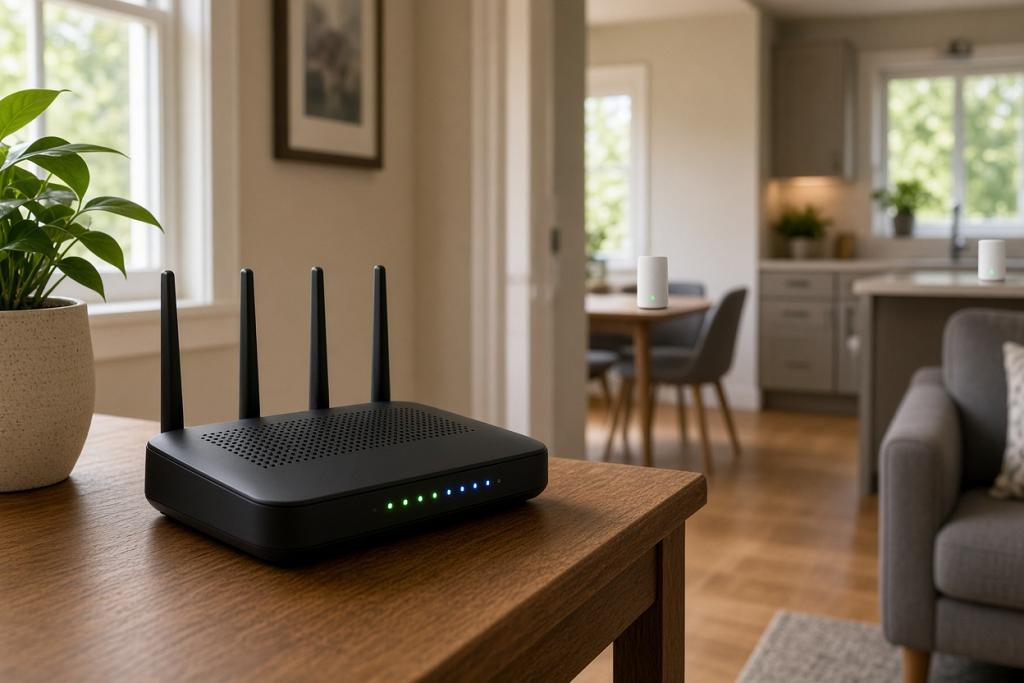
A mesh system replaces or works alongside your router with multiple units placed around the home, which together form a single, seamless network. Devices move between the units automatically, keeping a strong signal throughout. Mesh systems suit larger homes or those with several dead spots, and they generally provide more consistent whole-home coverage, at a higher cost than a single extender.
The table below summarizes the trade-offs.
| Approach | Best for | Trade-offs |
|---|---|---|
| Router placement | First step for any home | Free, but limited by the single unit |
| Wi-Fi extender | One weak area | Lower cost; may reduce extended speed |
| Mesh system | Larger homes, several dead spots | Seamless coverage; higher cost |
The table shows a progression: try placement first, add an extender for a single problem area, and choose a mesh system for whole-home coverage. The right approach depends on how widespread your weak spots are and your budget.
How do you choose the right approach for your home?
Start by identifying where coverage is weak. If only one room or area has a poor signal, improving placement or adding an extender may be enough. If several rooms have dead spots, or the home is large or spread across multiple floors, a mesh system usually provides more reliable coverage throughout.
Consider your home's construction too, since thick walls and large spaces reduce Wi-Fi range and may call for more coverage points. The number of devices matters as well, because a home with many connected devices benefits from a system that handles them across multiple units. Matching the approach to your layout and needs avoids overspending or underfixing.
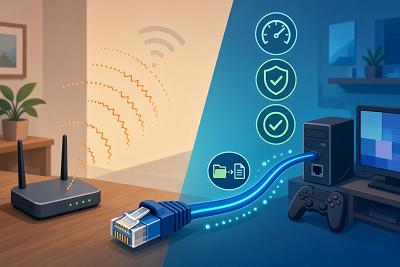
Whatever you choose, remember that these solutions improve coverage, not the underlying connection speed. If your connection itself is the limit, more coverage will not raise its capacity. Confirm that coverage is genuinely the issue, ideally with a wired test, before investing in equipment.
What are common mistakes to avoid?
A few missteps are worth avoiding. Buying an extender or mesh system before trying better placement can mean spending money on a problem that placement alone might have solved. Placing an extender too far from the router, where the signal it rebroadcasts is already weak, limits how much it helps. And expecting any coverage solution to increase your plan's speed leads to disappointment, since they spread capacity rather than add it.
It also helps to match the solution to the home. An extender may be insufficient for a large home with many dead spots, while a full mesh system may be more than a small apartment needs. Choosing based on your actual layout and weak spots, rather than the most elaborate option, gives the best value.
Because equipment and compatibility vary, confirm that any system works with your setup before buying. With the right approach matched to your home, you can extend strong Wi-Fi to more rooms without changing your plan.
Frequently asked questions
Will better Wi-Fi coverage increase my internet speed?
It increases the speed your devices experience in previously weak areas, but it does not raise your connection's overall capacity. Coverage solutions spread the speed you already have to more of your home; they do not add speed beyond what your plan delivers.
Should I try router placement before buying equipment?
Yes. Improving placement is free and often resolves weak spots on its own. Moving the router to a central, open, elevated location away from obstructions is the sensible first step before spending on an extender or mesh system.
What is the difference between an extender and a mesh system?
An extender rebroadcasts the existing signal to reach a single weak area at lower cost, sometimes with reduced speed on the extended signal. A mesh system uses multiple units to form one seamless network across the home, suiting larger spaces and several dead spots at a higher cost.
How do I know if I need a mesh system?
Consider a mesh system if several rooms have weak coverage, your home is large or multi-floor, or thick walls limit a single router's range. For a single weak area, placement or an extender may be enough. Match the solution to where and how widespread your dead spots are.
Conclusion
Improving Wi-Fi coverage, through better router placement, an extender, or a mesh system, is usually the right fix when internet is fast in some rooms but weak in others, and it does not require a faster plan. Start with placement since it is free, add an extender for a single weak area, and choose a mesh system for whole-home coverage in larger or harder-to-cover homes. These solutions spread the speed you already have rather than adding capacity, so confirm that coverage is the real issue before buying, and match the approach to your home's layout and needs.